On August 5, Sanity released their Visual Editing guide for Astro - and honestly, it's a great feature. If you're working with Sanity and Astro, go read it. A few weeks before they shipped it, I had the chance to show someone on their team a similar setup I'd been building. The conversation was genuinely fun. Then I went on vacation, they shipped it, and here we are.
I'm not writing this to stake a claim. I'm writing it because what they shipped and what I built are not quite the same thing - and the differences are interesting enough to document.
What Sanity shipped
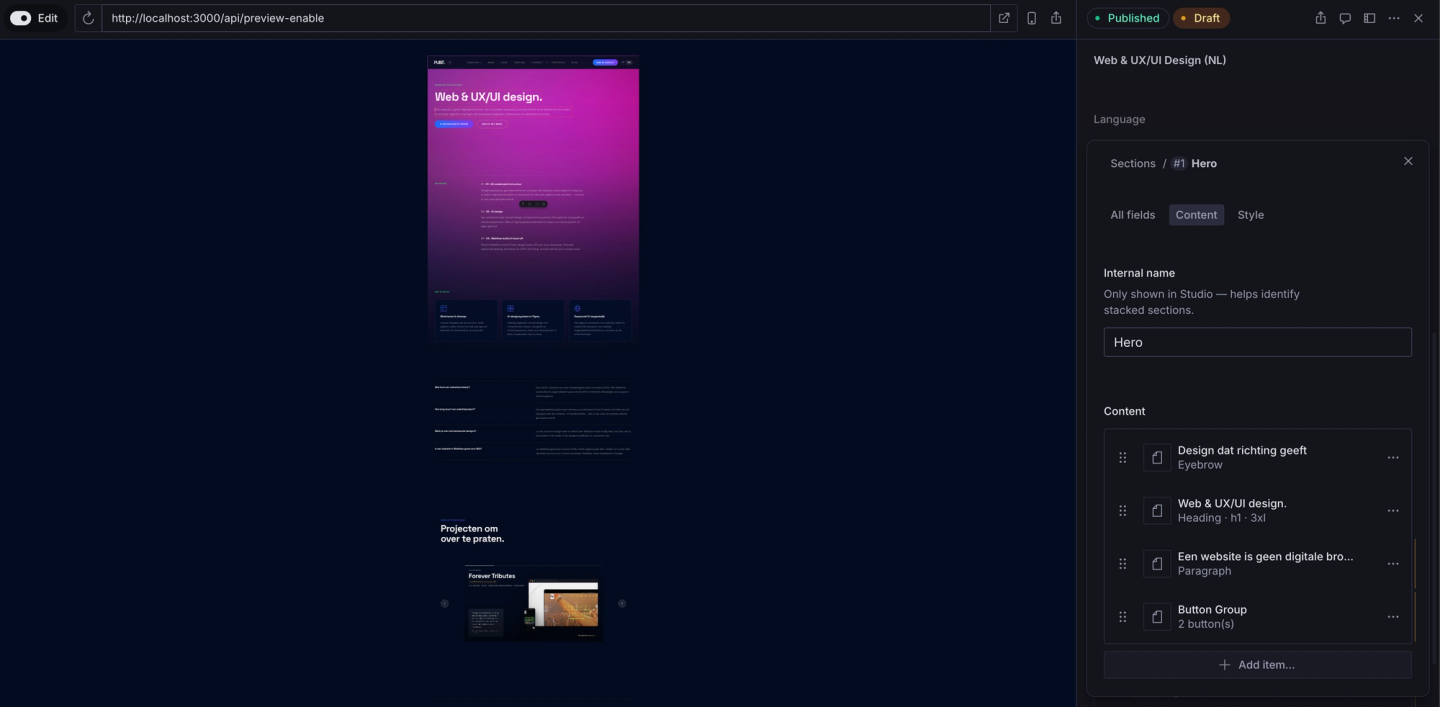
Sanity's Visual Editing for Astro is an enhanced version of their Presentation Tool. You open Studio, your frontend loads as a preview iframe inside it, and you click an element in that preview to activate the matching field in the Studio panel on the right. You edit there. When you save, the preview reloads to fetch updated content from the server.
That's genuinely useful - especially for content teams who already live in Studio. But it's not inline editing, and it still requires your client to log into a separate back-end tool.
What we built
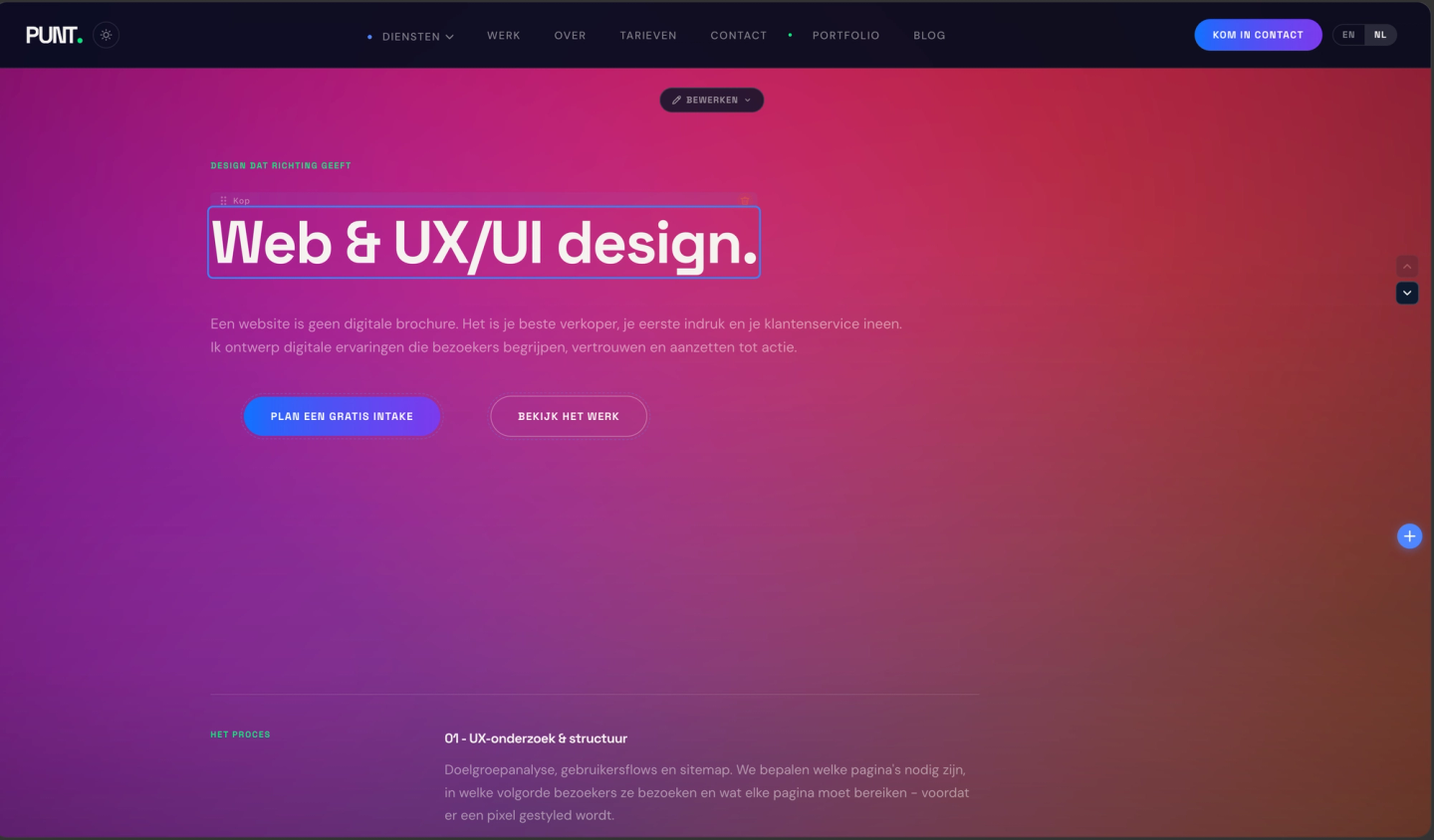
That blue outline around the heading is a contenteditable field on the live page. You click it and type directly. The change is patched to Sanity and reflected in the DOM instantly - no Studio panel, no context switch, no page reload.
Every text element on the page works this way. Change a headline, fix a typo, rewrite a paragraph - all directly on the page, all saved to Sanity in the background.
Buttons
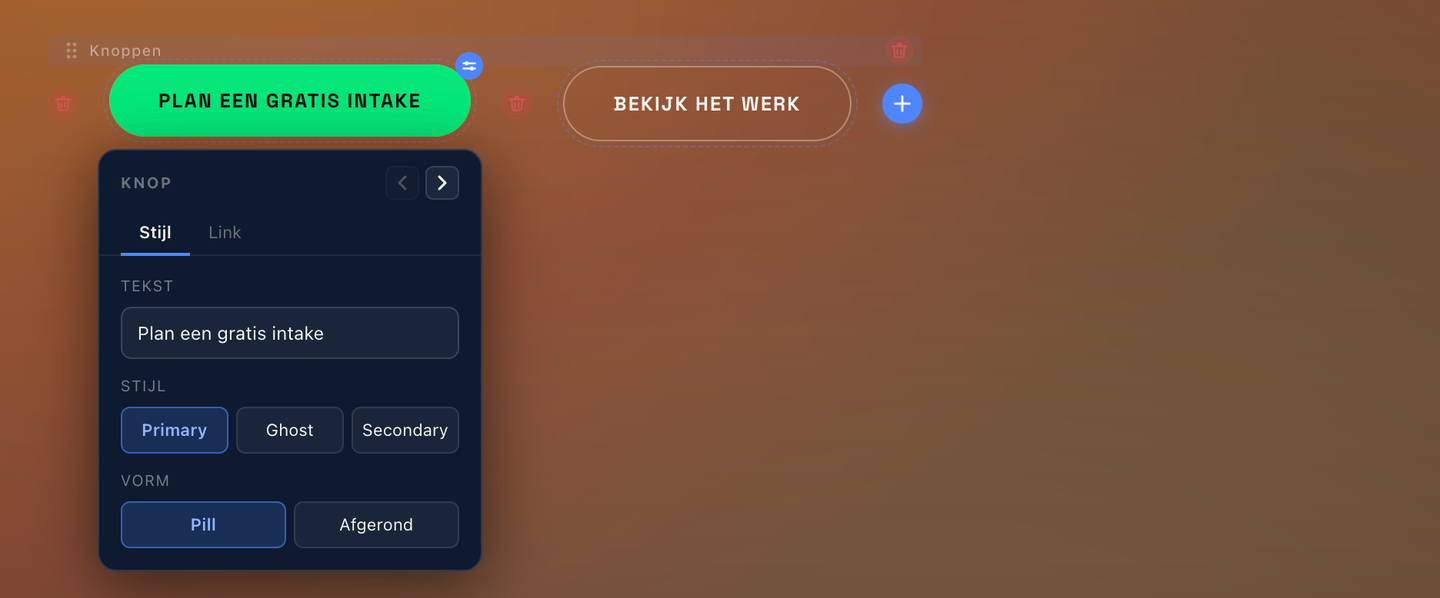
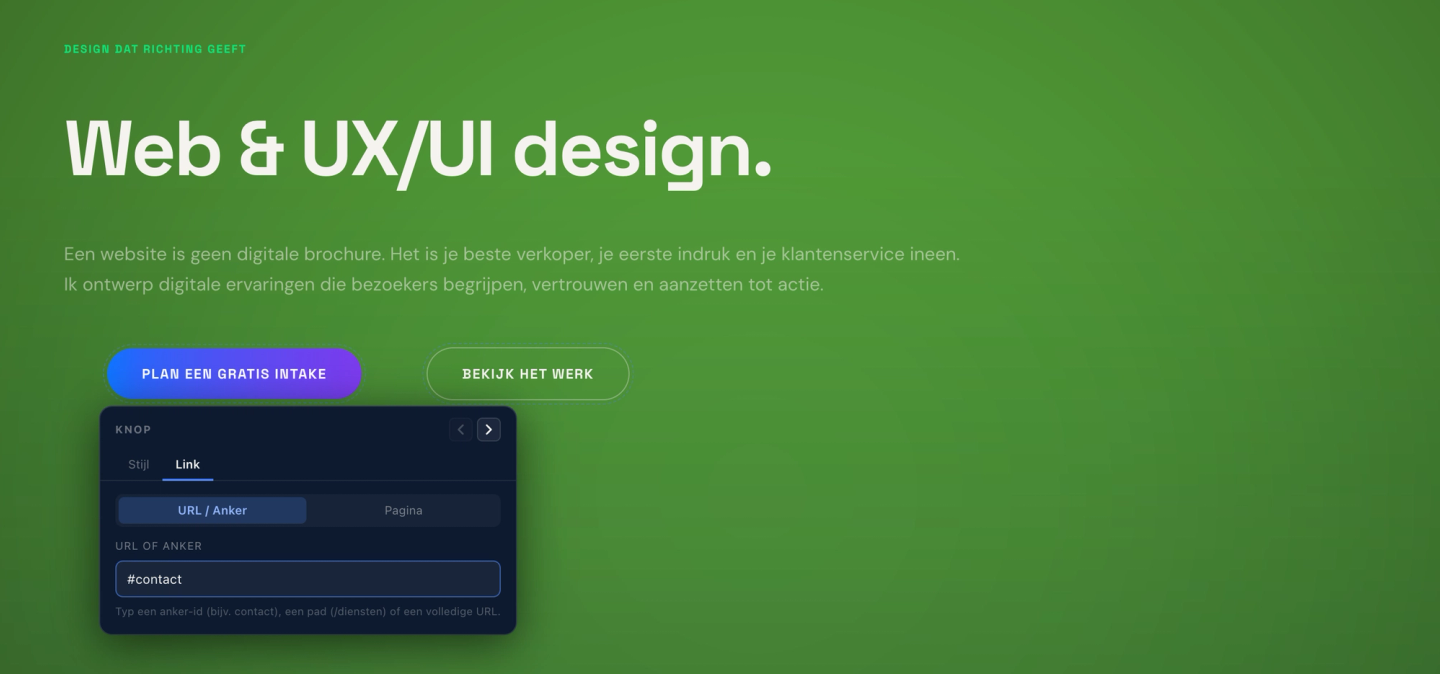
Every button has a floating panel with two tabs. Style controls the text label, button variant (Primary, Ghost, or Secondary), and shape (Pill or Rounded). Link controls where it points - external URL, anchor, or internal page.
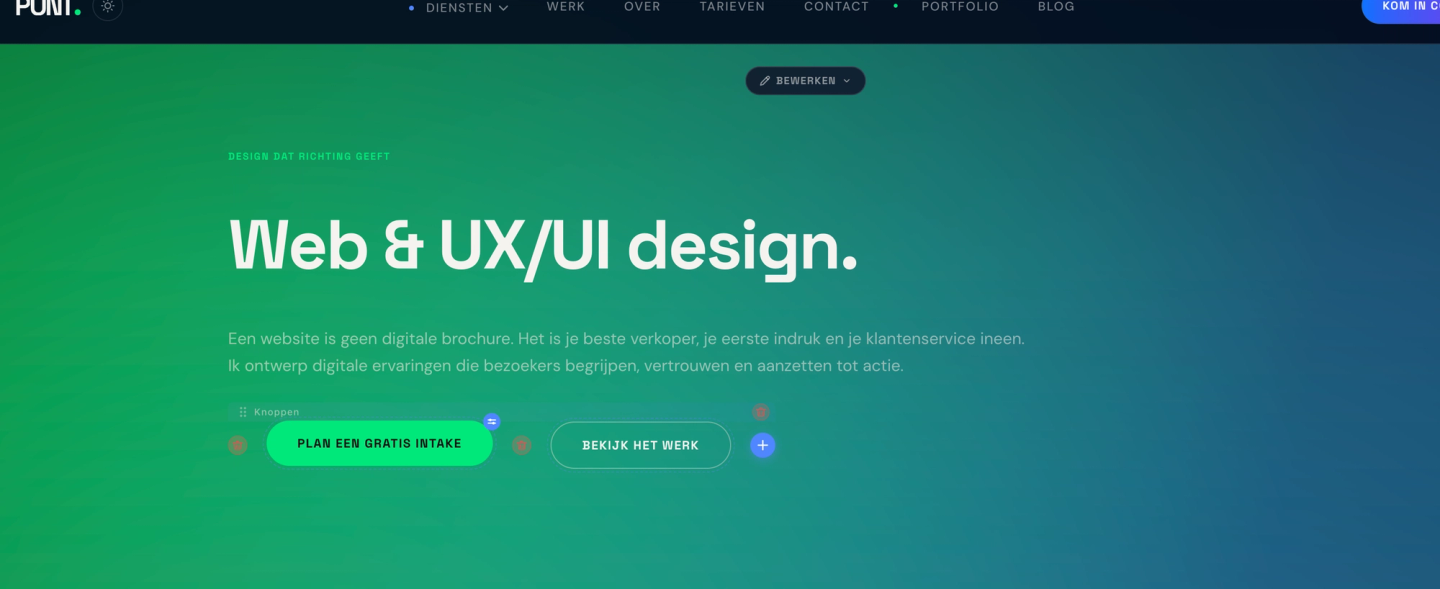
You can delete individual buttons, reorder them, or add a new one with the + at the end of the row. No Studio required.
Adding content
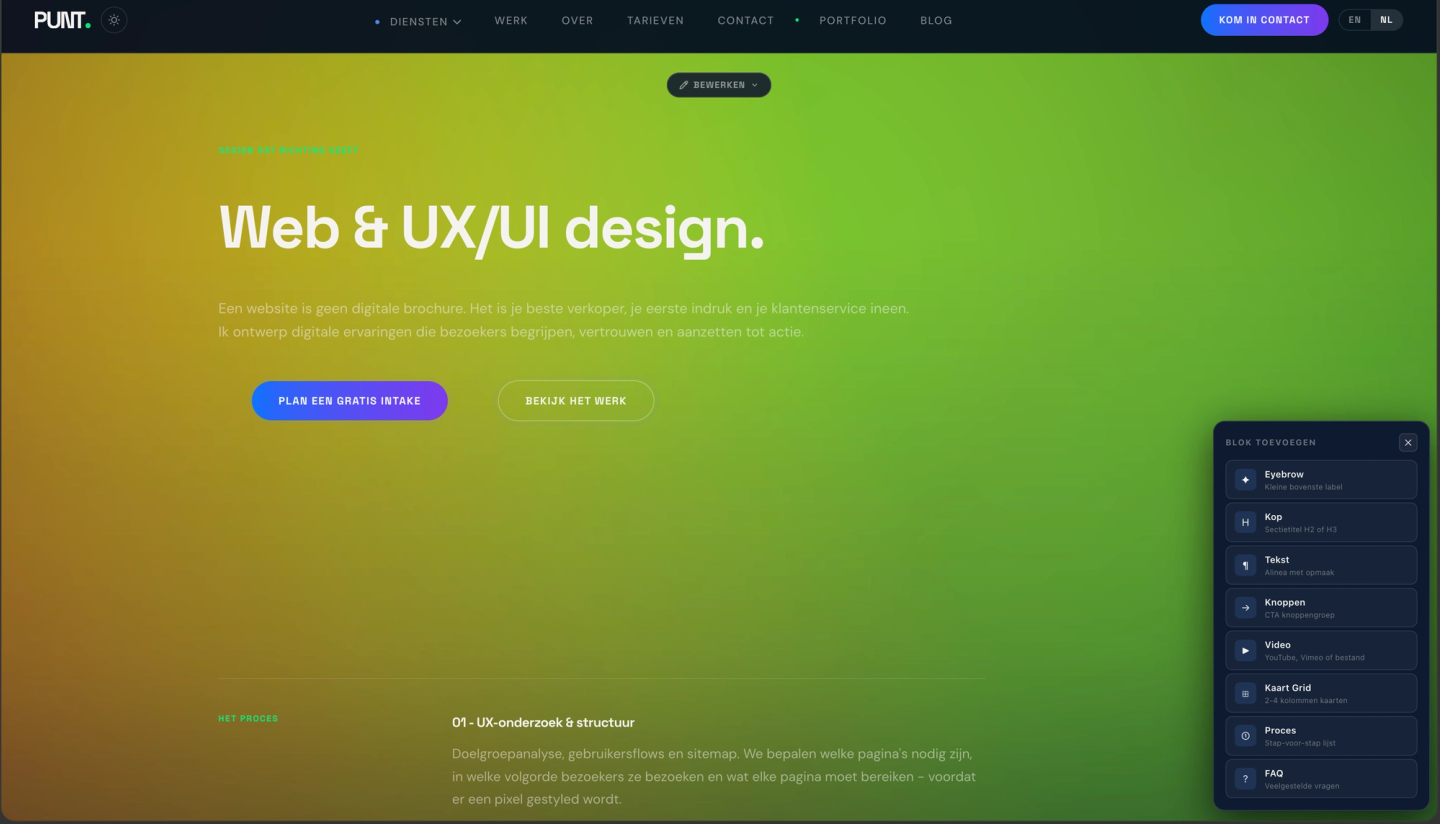
The block picker lets you insert new content blocks without opening Studio. Eyebrow label, heading, paragraph, button group, video, card grid, process steps, FAQ - each block type maps to a Sanity document array and inserts at the correct position.
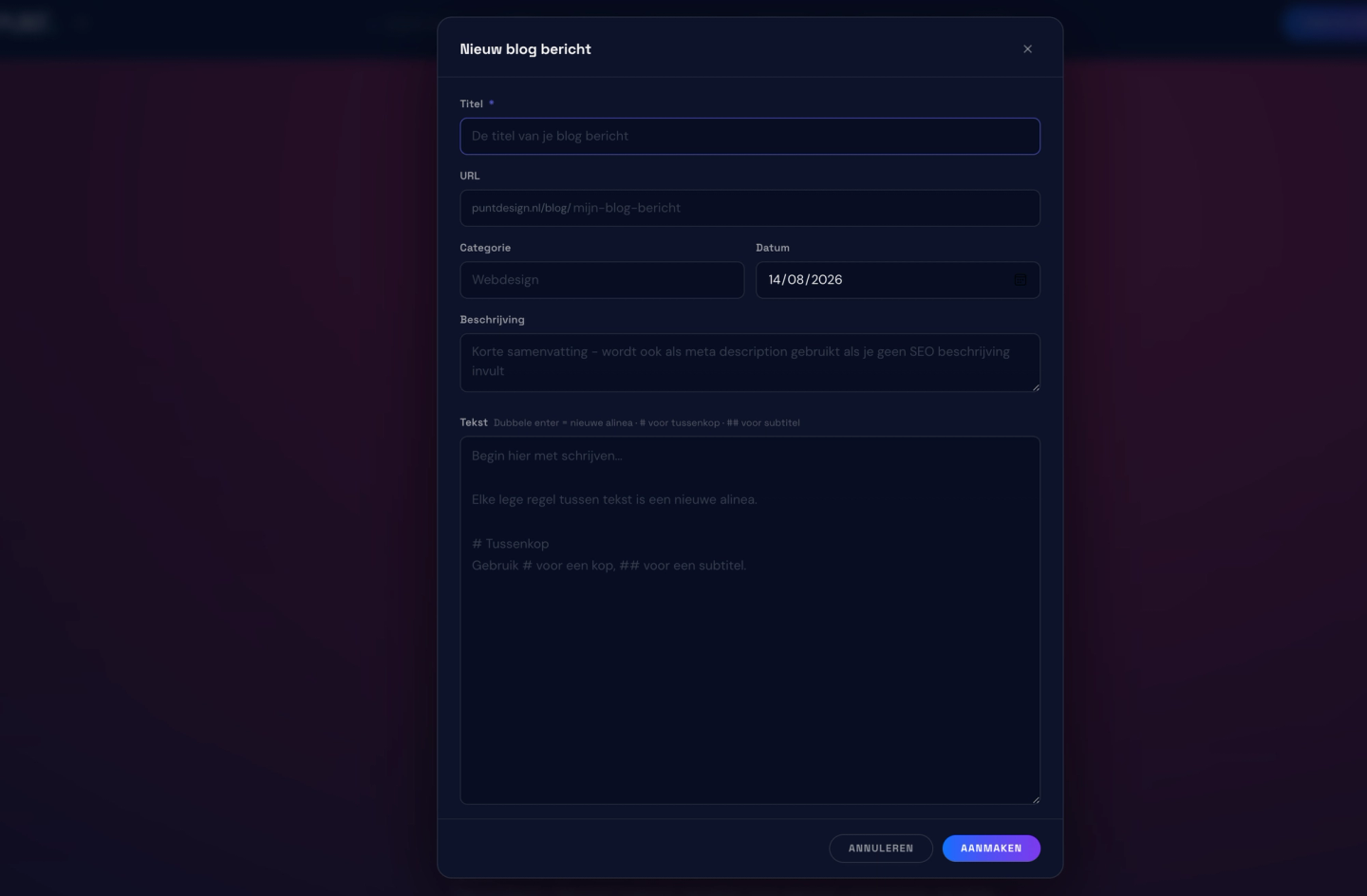
You can even create new blog posts directly from the frontend. Title, URL, category, date, description, and body - all in a single modal on the live site.
The part Sanity leaves to you: sessions
Sanity's Astro guide uses a single signed secret to activate the preview iframe. It works, but it's the start of the problem, not the end.
We built a two-cookie session model:
Edit cookie - for editing directly on the live site. Redis-backed sessions, login rate limiting, SHA-256 password comparison, and fail-closed behavior in production. If Redis goes down, editing stops - the correct tradeoff.
Preview cookie - for the Sanity Presentation iframe. In production, Studio runs on a different origin, which means any cookie in the iframe is third-party and gets blocked. We use the CHIPS / Partitioned cookie attribute so the preview cookie is set and read inside the iframe, scoped to the right partition, and survives third-party cookie blocking in Safari and Chrome.
Sanity's documentation mentions Partitioned as a footnote for Safari. For us, working it out was several hours of debugging a blank preview pane in production while everything worked fine in dev.
Hint cookie - a non-HttpOnly companion to the edit cookie that lets prerendered pages detect edit mode client-side without exposing the session token. The edit cookie is HttpOnly and invisible to JavaScript.
Plus: a document type allowlist in the patch API so only specific Sanity types can be written to, and an open redirect guard on the preview enable route.
The real difference
With Sanity's Visual Editing, the frontend lives inside Studio as a preview iframe. You click an element in the preview, the matching field activates in the panel on the right, and you edit there. It's smart - but you're still working inside a back-end tool. Your client needs to know what Sanity is, find their way around the Studio interface, and context-switch between the preview and the edit panel.
What we built inverts that entirely. The client logs into their own website - not a back-end, not a separate tool, just their site with a login. They click the text they want to change and type directly on it. Sanity handles everything in the background, invisibly.
▎ Sanity's Visual Editing requires server-side rendering and
▎ triggers a full page reload on every save. Ours patches
▎ the DOM directly - no reload, no server round-trip. The
▎ change is live before Sanity even confirms the write.
As an Interaction Designer, that distinction is the whole point. The best interface for editing a website is the website itself. Clients shouldn't need to learn a CMS to change a headline. The moment you send someone to a back-end panel, you've added friction - and friction is where clients stop making updates and start emailing their developer instead.
What's next
This editing layer is part of a internal project - a client delivery system built on top of Astro and Sanity. Every site I deliver ships with this layer included. Clients can update their content easily.
Sanity's Visual Editing release is a good sign for anyone building in this direction. The feature is genuinely great - and there's still a lot of space to build on top of it.